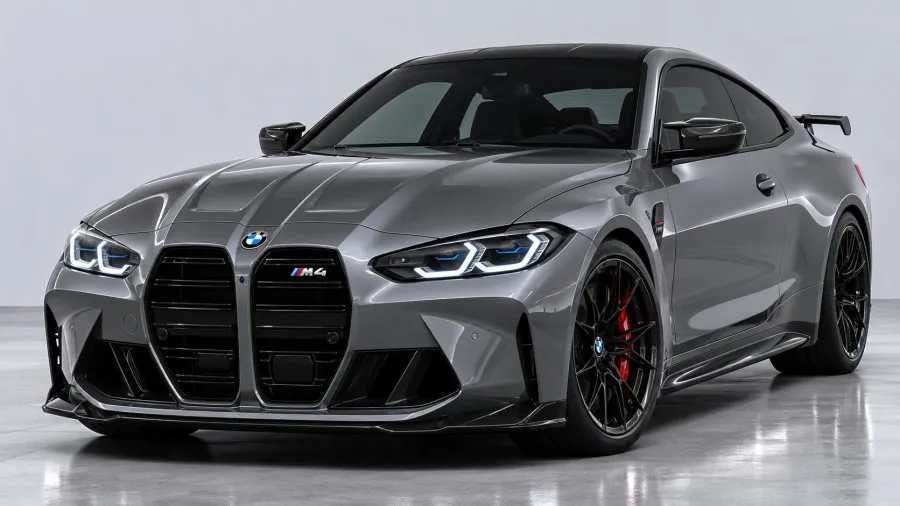
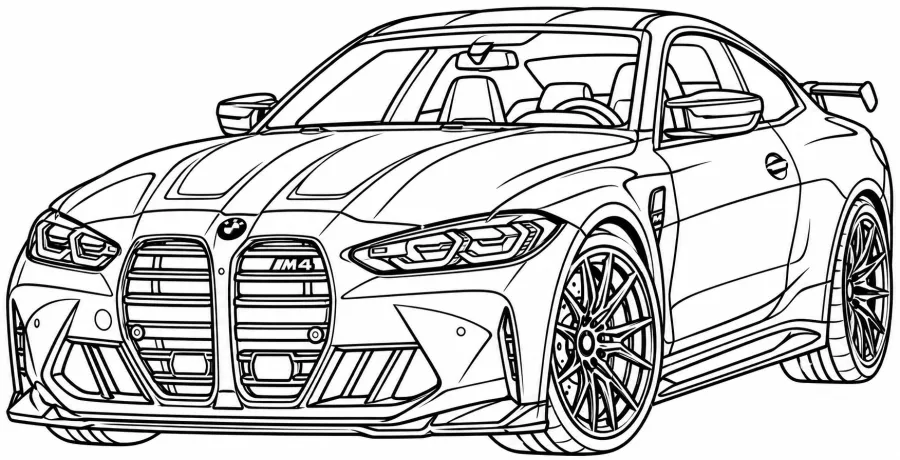
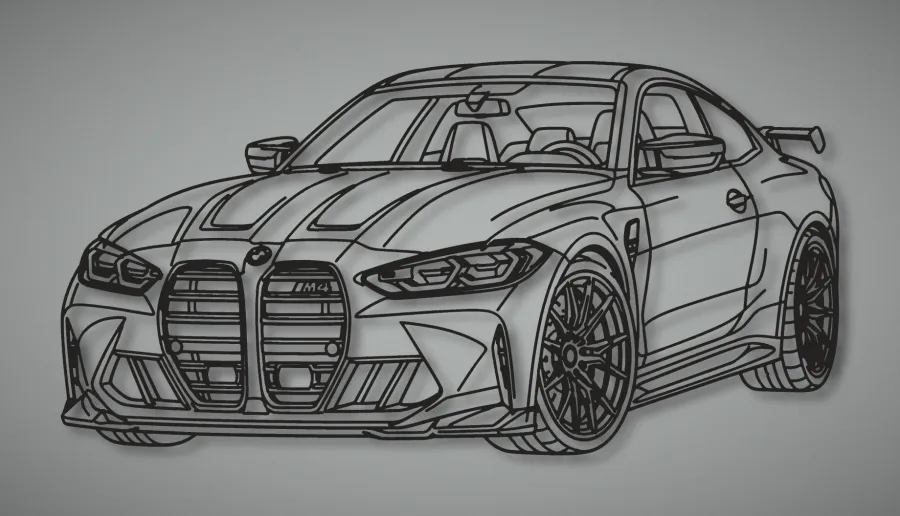
Convert Image to Plasma Cut File: One Piece Metal Art Creator
One piece, no floating parts Upload line art, we auto-bridge floating islands and give you a DXF + SVG. Free, no sign-up.
That was your last free conversion.
Using Mozaik or another CAM software that needs clean polylines? Check or fix any DXF with DXF Doctor.
Files auto-delete in 1 hour. Always check the cut in your laser software before cutting.
How to convert an image to a plasma cut file
Convert image to plasma cut file in about a minute. Upload black line art and we find every floating island, add bridges automatically, fix lines that are too thin and give you a clean DXF and SVG for plasma, laser or CNC. Free, no sign-up.
Get line art
Start with a black drawing on a white background. Logos, silhouettes and line drawings work best. Only have a photo? See the prompt tip below.
Upload
Drop the PNG, JPG or WEBP into the tool above, set the final width in millimetres and pick your material.
Auto fix
Specks are removed, every floating island gets a bridge, thin lines are thickened and the art is traced into smooth vectors.
Download DXF or SVG
Get a DXF in millimetres, SVG cut lines, a filled SVG and a wall mockup. Add a square or round border if you like.
What are floating islands and why do parts fall out?
When a plasma torch or laser cuts around a drawing, every closed outline becomes its own piece of metal or wood. A shape only stays in place if it touches the rest of the design. If it does not, it is a floating island, and the moment the cut finishes it drops through the slats and your art looks broken.
Islands hide everywhere. The middle of the letters O, A and e. The hub and spokes of a wheel. Eyes, pupils and nostrils in a portrait. Headlights, badges and window frames on a car. Line art from the internet, AI image tools and scanned sketches is full of them, and a single design can have dozens.
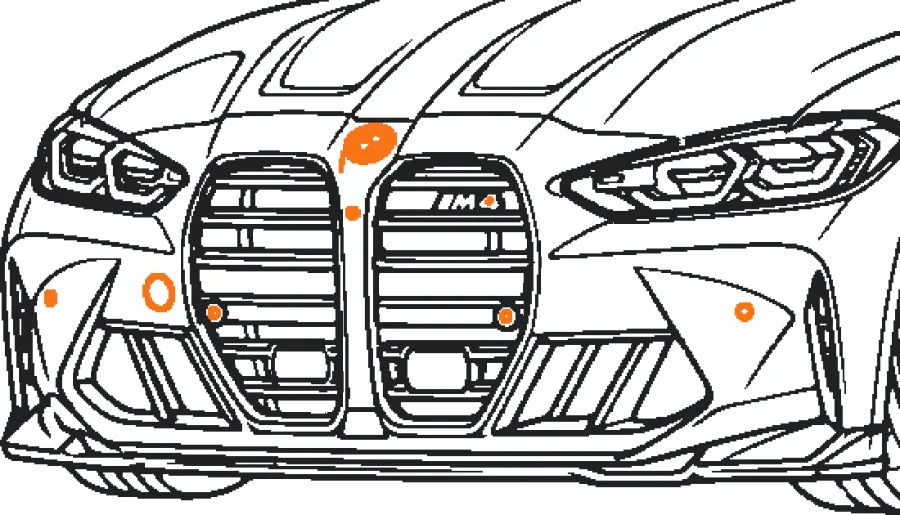
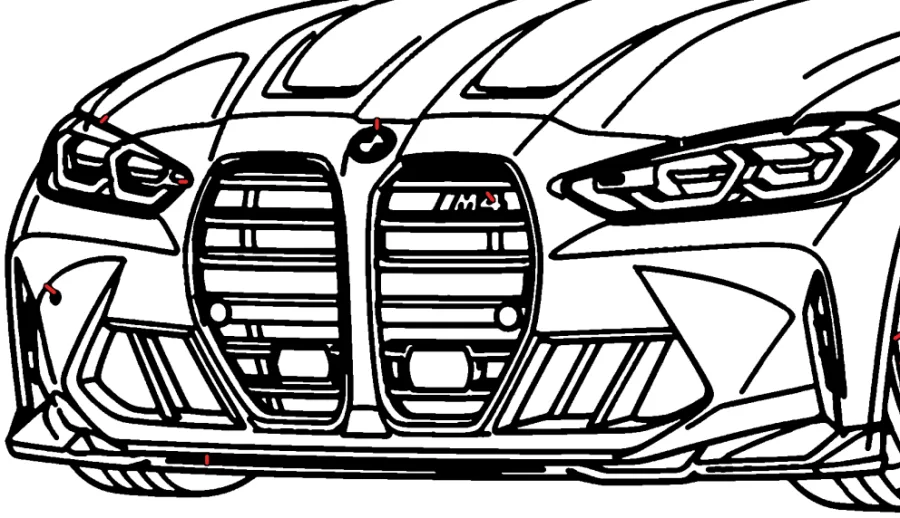
Fixing islands by hand means finding each loose shape, drawing a bar to the nearest line and welding it. On a detailed design that eats an hour, and one miss means a scrapped sheet.
How auto bridges keep your metal art in one piece
This tool does that job for you. It finds every part not connected to the main body and adds a bridge along the shortest path to the nearest line. Large parts get two or three bridges so they stay rigid. Tiny specks are removed and thin lines are thickened.
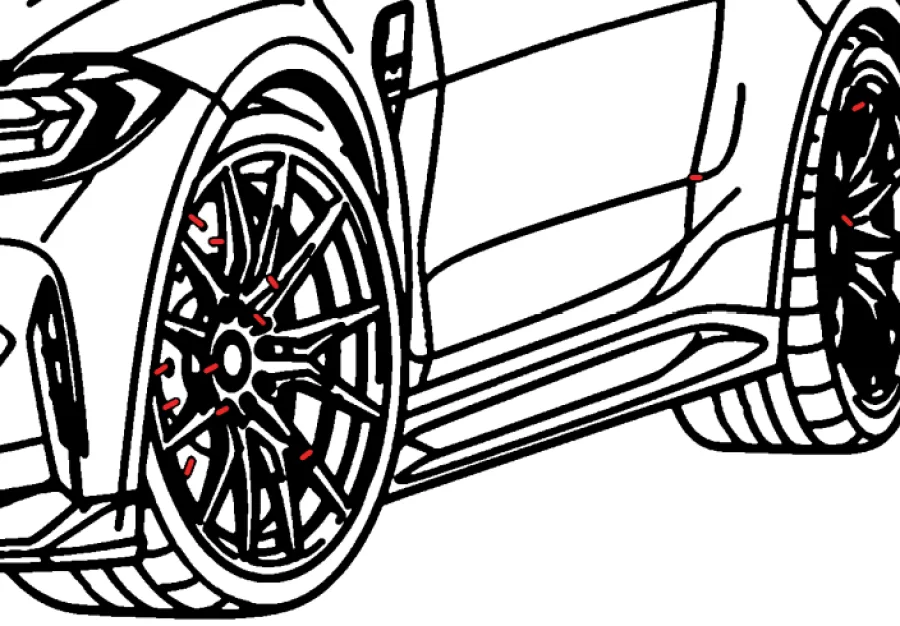
Bridges match your stroke thickness, so on wall art they read as part of the drawing. Before you download anything, the tool reads its own DXF back and checks it: one piece, no floating islands, no open paths and no lines below the minimum for your material. After converting, switch the preview to Bridges to see each one in red.
Turn any photo or AI image into a cut file
A cut file needs clean lines, so a photo has to become line art first. The easiest way is ChatGPT: attach your photo, paste our free prompt and it returns black line art that is already drawn with cutting in mind. Then upload that image here and the tool turns it into a one piece DXF.

Free ChatGPT prompt: it asks for bold, connected lines and no tiny details, which means fewer islands and cleaner cuts.
AI images work the same way if you ask for black line art on white. For faces, see our laser cut metal portrait art service if you would rather have a designer draw it.
Best materials and sizes
The material you pick sets the thinnest line and the smallest hole the tool will allow. Thin strips in MDF snap, and small holes in steel fill with dross, so these limits keep your art sturdy.
| Material | Pick in tool | Thinnest line | Smallest hole | Good sizes |
|---|---|---|---|---|
| Mild steel 1.5 to 3 mm | Metal | 2 mm | 2 mm | 500 to 1200 mm |
| Aluminium 1.5 to 3 mm | Metal | 2 mm | 2 mm | 400 to 1000 mm |
| MDF 3 to 6 mm | MDF | 1.5 mm | 1 mm | 300 to 600 mm |
| Plywood 3 to 6 mm | Plywood | 1.5 mm | 1 mm | 300 to 900 mm |
| Acrylic 3 mm | Acrylic | 1.5 mm | 1 mm | 200 to 600 mm |
Plasma cuts a wider kerf than a laser, so give it room. A common rule is to keep every line and gap at least as wide as the sheet is thick. A detailed portrait looks best at 600 mm or wider, while a bold logo works at 300 mm. If the preview looks crowded, go one size up.
Works with your machine and software
Every plasma cut file is plain DXF and SVG, so it fits the software you already use.
Plasma tables and SheetCam
Langmuir CrossFire, PlasmaCAM style and other CNC plasma workflows start from a DXF. Import it into SheetCam or your table's CAM and set your cut path as usual.
LightBurn
Import the DXF. It is in millimetres with closed polylines only, so it lands at the right size and every shape is ready to cut.
xTool, Glowforge and LaserGRBL
Use the SVG cut lines file. The size is stored inside, so a 600 mm design opens as 600 mm.
Fusion 360 and Inkscape
Open the DXF for CAM or the SVG for editing. Need several copies on one sheet? Try our DXF nesting tool.
Our DXF already uses closed polylines. If you have another DXF with splines or open paths that your CAM software (for example Mozaik) rejects, convert and fix it free with DXF Doctor. Need it bigger later? Scale DXF file online. Brand names belong to their owners. We are not affiliated with them.
Why makers use this instead of manual tracing
The usual way: clean the image in Photopea, run an auto tracer, then zoom in and fix islands one by one and hope nothing was missed.
Hours become a minute
Turning an image into a plasma cut file takes one step. Spend your time cutting and selling, not clicking nodes.
Nothing gets missed
Every island is found by the computer, not by your eyes at 400 percent zoom, and the file is checked before you get it.
Made for your material
Lines and holes follow the limits of steel, aluminium, wood or acrylic, so thin bits do not burn away.
Ready to show
The wall mockup works as a customer preview before you cut.
FAQ
Is this image to plasma cut file converter free?
Yes. It is free with no sign-up and no watermark. You can convert up to 20 images per day.
What image works best?
Black line art on a plain white background with clear, solid lines. Logos, silhouettes, coloring pages and line drawings of cars, animals or people all work well. Avoid grey shading, textures and very fine hair lines.
How do I fix floating islands in my DXF?
Upload the design here as an image. The tool adds a bridge from every floating island to the nearest line, then reads its own DXF back to confirm that everything cuts as one piece. If you only have a DXF, export it from your CAD program as a black on white PNG first.
Can I convert a photo directly?
Not directly. A photo has shading, and a cut file needs clean lines. Turn the photo into line art first with the free ChatGPT prompt on this page, then upload the result.
What file formats do I get?
A DXF in millimetres with closed polylines, an SVG with cut lines, a filled SVG, a wall mockup PNG and a ZIP with everything plus a QA report.
Will the DXF open in SheetCam / LightBurn?
Yes. The DXF uses closed polylines in millimetres, which SheetCam, LightBurn, Fusion 360 and most CAM software import at the right size. As with any file, check the scale once after import.
What size should my metal art be?
Most one piece metal art looks best between 500 and 1000 mm wide. A busy portrait needs 600 mm or more, while a simple logo can go down to 300 mm. On a plasma table, go bigger rather than smaller.
Are my images stored?
No. Uploads and results are deleted automatically after 1 hour and are never shared.