
Photo to Line Art Portrait Converter for Laser Engraving: From Photo to SVG/DXF in One Workflow
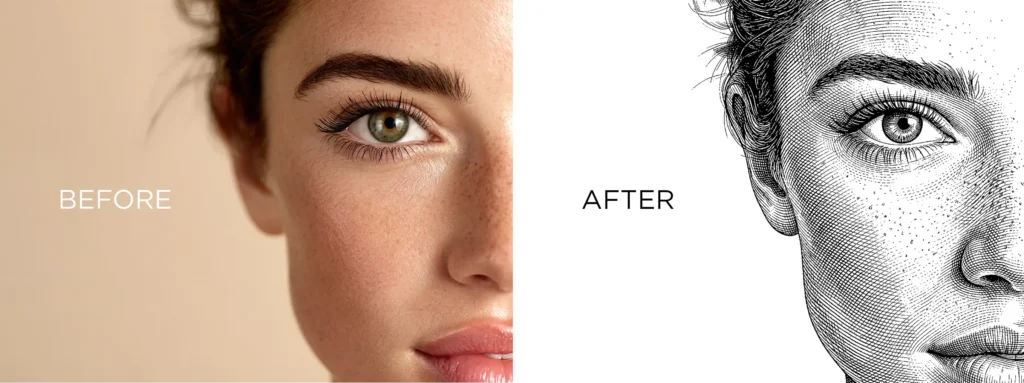
Looking for a better way to turn portraits into clean line art for laser engraving? Most “photo to line drawing” tools just give you a static result and disappear. But a true photo to line art portrait converter should do three things: convert your image, let you edit it, and export it in laser‑ready formats like SVG, PNG, or DXF.
That’s exactly what our tool is built for.
Watch Our Step‑by‑Step Tutorial Video
See exactly how to use our photo to line art portrait converter in real time. Our short tutorial video walks you through uploading your photo, editing the line art on the canvas, and exporting SVG, PNG, or DXF for laser engraving-live, on screen.
See Real People’s Line Art Portrait Results
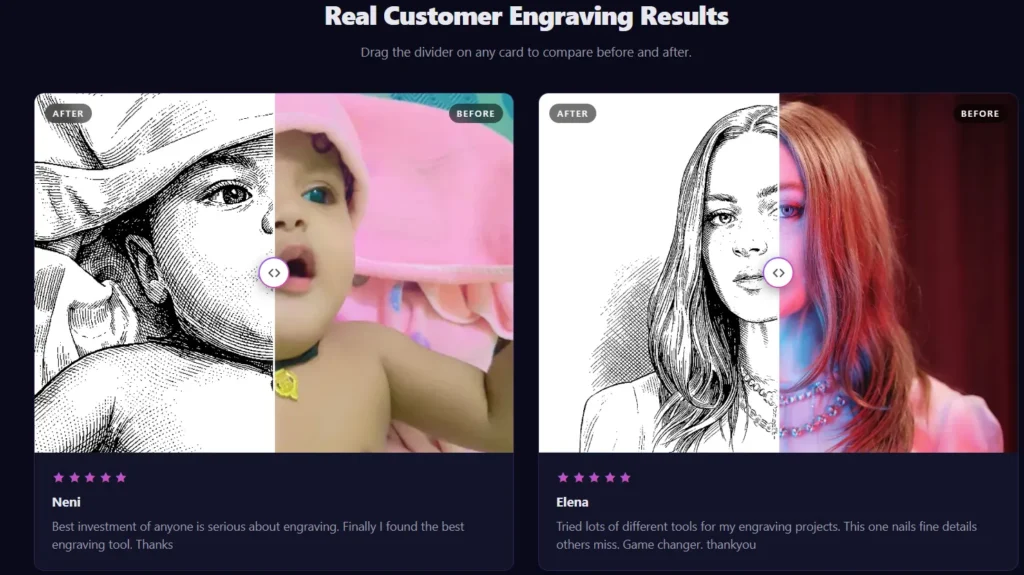
We don’t just show mockups-we show real portraits converted by users on our website. Browse our gallery to see how actual photos turn into clean, laser‑ready line art for wood, acrylic, metal, and more.
What Makes This Photo to Line Art Portrait Converter Different?
Unlike generic “photo to line drawing” websites, this photo to line art portrait converter is specifically designed for portrait‑style line art optimized for laser engraving.
- Built around the exact manual workflow I’ve used for 6+ years as a laser artist.
- Not just another AI filter; it follows a portrait‑focused, engraving‑friendly path.
- Fully editable canvas so you can tweak lines, remove unwanted parts, and refine details.
- Direct export to SVG, PNG, and DXF-perfect for LightBurn, RDWorks, EZCAD, or any laser‑cutting software.
If you’ve ever struggled with messy, noisy line art from other tools, this photo to line art portrait converter will feel like a completely different class.
How to Convert a Photo into a Laser‑Ready Line Art Portrait
Here’s the full workflow inside the tool, step by step.
Step 1: Upload Your Portrait Photo
Start by uploading any portrait photo -selfie, family portrait, pet, or couple. The photo to line art portrait converter is tuned for faces and portraits, so it handles eyes, hair, and contours better than generic photo‑to‑line tools.
Make sure the image is well‑lit and in focus. Cleaner input means cleaner line art, especially for laser engraving.
Step 2: Auto‑Convert to Line Art Using a Manual‑Based Workflow
Once you upload the photo, the tool automatically converts it into line art. But this isn’t a random AI filter.
The photo to line art portrait converter follows the same path I’ve used manually for 6+ years:
- Edge‑based contrast adjustments
- Line‑cleaning logic that removes noise
- Portrait‑focused simplification that keeps facial features strong
The result is clean, structured line art that’s already much closer to a laser‑ready outline than most “photo to line drawing” tools give you.
Step 3: Edit the Line Art on the Interactive Canvas
This is where this photo to line art portrait converter beats almost every other website.
You get a full editable canvas where you can:
- Adjust line thickness, detail level, and contrast with sliders.
- Use tools to add or remove unwanted parts (stray lines, background traces, hair strands, etc.).
- Zoom in and refine specific areas like eyes, lips, or outlines.
Instead of exporting a locked PNG and then fixing it in Illustrator or Inkscape, you can edit directly inside the converter before sending it to your laser machine.
Step 4: Export SVG, PNG, or DXF for Laser Engraving
Once you’re happy with the line art, you can export it in multiple formats:
- SVG – Vector format ready for LightBurn, RDWorks, EZCAD, and other laser‑cutting software.
- PNG – High‑resolution raster for previews, test cuts, or simple laser engraving.
- DXF – For workflows that prefer DXF import (common in many laser machines and CAD setups).
Because the photo to line art portrait converter is built for laser engraving, the paths are optimized-not bloated with unnecessary nodes or noise- so your laser jobs cut cleaner and faster.
Why This Photo to Line Art Portrait Converter Beats Other Tools
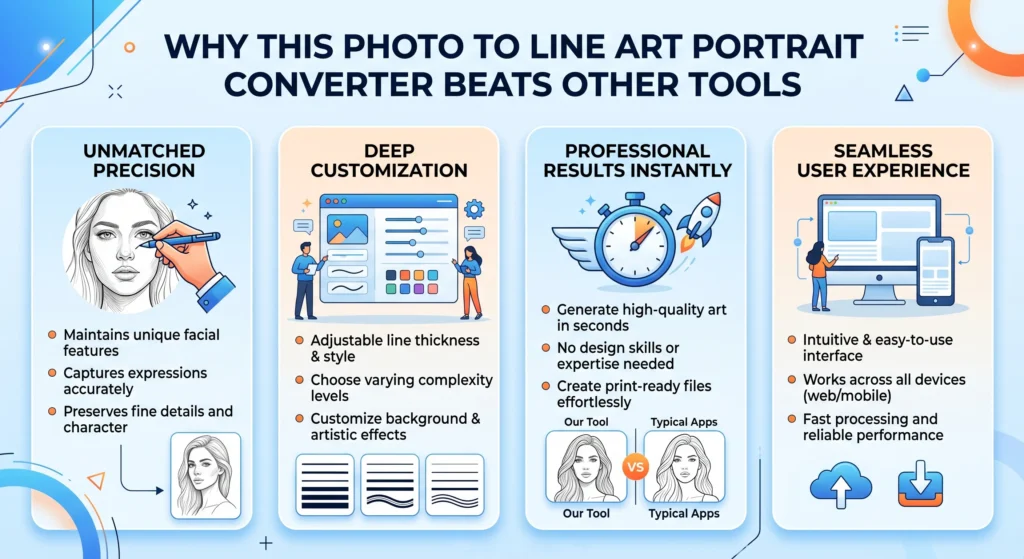
Most “photo to line drawing” tools follow this pattern:
- Upload → AI filter → Download PNG.
- No editing. No laser‑specific optimization. No SVG/DXF.
This photo to line art portrait converter is different:
- It’s portrait‑first, not generic.
- It’s laser‑focused, not just for “art”.
- It gives you an editable canvas, so you’re not stuck with whatever the AI decides.
- It exports SVG, PNG, and DXF, so you can plug it directly into your laser workflow.
If you compare it side‑by‑side with any other “photo to line art” or “photo to line drawing” website, you’ll see how much cleaner and more precise the paths are.
Best Use Cases for the Photo to Line Art Portrait Converter
This tool shines in laser‑engraving‑driven workflows:
- Custom laser‑engraved portraits on wood, acrylic, MDF, or metal.
- Personalized gifts like mugs, keychains, coasters, mirrors, and signage.
- Wedding and anniversary portraits for framed wall art or laser‑cut displays.
- Pet portraits turned into line art for laser‑cut home decor.
- Tattoo line‑art stencils or flash designs that you can export as SVG for reference.
Every time you use this photo to line art portrait converter, you’re saving time on the manual cleanup and getting ready‑to‑cut vector art in one smooth workflow.
How to Prepare Your Photo for the Best Results
To get the most out of this photo to line art portrait converter, follow these tips:
- Use high‑resolution, well‑lit photos (smartphone photos work great if they’re not blurry).
- Prefer front‑facing or 3/4 profile portraits with clear facial features.
- Avoid busy backgrounds; plain or blurred backgrounds give cleaner line art.
- Keep glasses and hair simple if possible, so the tool doesn’t misinterpret edges.
Clean photos + a laser‑engraving‑focused photo to line art portrait converter = much faster, higher‑quality results.
Why the Editable Canvas Matters for Laser Artists
Most tools just convert and forget. They don’t understand that in laser engraving, a few stray lines or thick edges can ruin a cut.
By giving you a fully editable canvas, this photo to line art portrait converter lets you:
- Remove unwanted lines that would engrave poorly.
- Thin or thicken critical areas (like eyelids, hair, or outlines) before cutting.
- Fine‑tune edges so your laser job looks sharp and professional.
You’re not just “converting a photo to line art”-you’re crafting a laser‑ready portrait inside the same tool.
Free Lifetime Trial: See How Unique the Results Are
To prove how different this photo to line art portrait converter is, I offer a free lifetime trial:
- One free run to test the full workflow.
- No credit card required.
- You can upload your photo, edit the line art, and export SVG, PNG, or DXF to see the quality for yourself.
Compare it with any other “photo to line drawing” or “photo to line art” website. You’ll quickly see how much cleaner and more engraving‑friendly the output is.
FAQs About the Photo to Line Art Portrait Converter
A: Yes. The photo to line art portrait converter gives you a full canvas where you can add, remove, and tweak lines before exporting.
A: You can export SVG, PNG, and DXF, making it ideal for laser engraving workflows.
A: Yes. The line art is generated with a portrait‑focused, laser‑engraving workflow built from 6+ years of manual practice.
A: This tool is not generic. It’s a portrait‑specific, laser‑focused photo to line art portrait converter with an editable canvas and SVG/DXF export.
A: It’s a one‑time free trial that lets you test the full workflow and see how much cleaner the line art is compared to other tools.
Turn Your Photos into Laser‑Ready Portraits in Seconds
If you’ve ever wished there was a true photo to line art portrait converter that actually understands laser engraving, this is it.
Upload any portrait, let the tool convert it using my 6‑year‑proven manual workflow, refine the line art on the canvas, and export SVG, PNG, or DXF ready for your laser machine.
You’ll see why no other website can match this level of control and laser‑ready clarity.
Want to Learn More?
If you want to master the complete process of laser cutting design & engraving, my detailed course covers everything step by step. You can buy my course to learn advanced techniques and tips that will help you create professional custom laser engraving designs with ease. 
 Check out My Custom Laser Engraving Design Blog Here
Check out My Custom Laser Cutting Design Blog Here
Check out My Custom Laser Cutting Neon Sign Design Blog Here
Get Expert Help & Services
Need professional help with custom laser engraving design? I offer expert services on Fiverr. If you need a custom engraving design tailored to your needs, check out my Fiverr profile.
Join My Newsletter
Want to receive the latest tips, tricks, and updates on laser engraving and cutting? Subscribe to my newsletter and stay ahead in your engraving journey!